Review Comments (0) Screenshots (4) Questions & Answers (0) Votes (0) Awards (8) Wiki  
Creabit Development
1.6
www.creabit.com
Shareware
$35  Purchase
91 people
Download Advanced Image...

858.93 KBDownloaded 581 times

This software was checked for viruses 5 months ago and was found to contain no viruses.
Click here to see antivirus report.
 
Video tutorial for Advanced Image Viewer and Converter 1.6
Frame
This video tutorial has been acquired from Downloadtube.com

Review

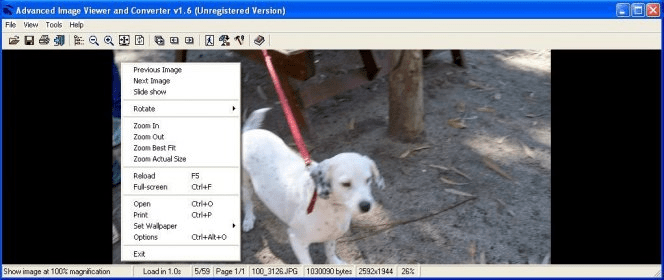
Advanced Image Viewer and Converter is a comprehensive graphics editing solution that allows you to view images and convert them to multiple formats. The program enables you to view your images in a slideshow, selecting the sequence order, time delay between images and special effects you would like to include. You will also be able to rotate your images, zoom them in and out, view them in fullscreen, and set them as wallpapers.

What is more, the application allows you to batch-convert and rename images. You just need to select the photos you wish to convert or rename, select the target format in the case of a conversion, and customize rename options such as add prefix or suffix, search for, replace with, and case, among many other options. For both actions, you also will have to select an output directory. In addition to this, you can also create a HTML album with your photos to upload it to a website afterwards. You will be able to select the thumbnail type, size, alignment, border, etc., as well as customize page settings, link text description, and output options.

Fortunately, the program is extremely easy to use, but it should be noted that it's not really attractive, since the interface looks a bit old-fashioned.
  • Converts to multiple formats.
  • Very easy to use.
  • Supports batch conversion and renaming.
  • You can view your photos as a slidehow.
  • Unattractive user interface.

Reviewed by: Silvana Mansilla

Reviewer rating:

Reviewed: 9 months ago

What's new in version 1.6

Support RTL commands in reading HPGL graphics;Add line width control in displaying HPGL graphics
Report a wrong version Report a wrong program title Suggest a correction

Screenshots

General view General view Batch convert or rename Batch convert or rename Options Options Album generator Album generator

Latest comments


There are no comments, be the first one!
Add new comment

E-mail Address:

Password:

Register now »

Forgot password?

Sign in with:
Download Software Informer Client
Copyright © 2012, Informer Technologies, Inc. About| Privacy and terms| Help| Feedback & Support| Partners program